Table of Contents
You’re staring at a malfunctioning PCB, the schematic makes sense, but the board refuses to cooperate. The multimeter shows nothing obvious, and your scope reveals only confusing waveforms. This is where thermal imaging becomes your secret weapon – but most affordable thermal cameras struggle with the fine details of modern electronics. The Thermal Master P3 promises manual focus and macro capabilities specifically for this frustrating scenario.
Having tested numerous thermal imaging tools on everything from smartphone motherboards to industrial control systems, I’ve found that resolution specs only tell part of the story. The real question isn’t just about pixel count, but whether a camera can actually help you pinpoint that 1mA leakage current or identify a failing IC before it takes out the entire board. After weeks of field testing the P3 across various repair scenarios, I’m ready to share whether this compact thermal imager delivers where it matters most.
Key Takeaways
- The manual focus system provides genuine advantage over fixed-focus competitors for close-up PCB work, though it requires practice to master
- Enhanced 512×384 resolution reveals thermal patterns that cheaper 256×192 cameras miss, particularly for small SMD components
- 5–8 hour battery life holds up in real field use, but the USB-C connection can be finicky with certain Android devices
- Temperature accuracy meets spec for general electronics work, though don’t expect laboratory-grade precision at this price point
- The 8mm macro lens delivers on its promise for component-level analysis, making it genuinely useful for PCB fault finding
Quick Verdict
Best for: Electronics technicians, PCB repair specialists, and industrial maintenance teams needing component-level thermal analysis without premium tool budgets.
Not ideal for: Long-range building inspections, scientific research requiring laboratory-grade accuracy, or users needing completely hands-free operation.
Core strengths: Manual focus delivers sharp close-up images, genuine macro capability for small components, reliable battery life, and competent software ecosystem.
Core weaknesses: Steep learning curve for focus optimization, limited temperature range for high-heat applications, and occasional connectivity issues with older mobile devices.
Product Overview & Specifications
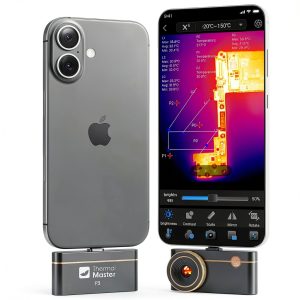
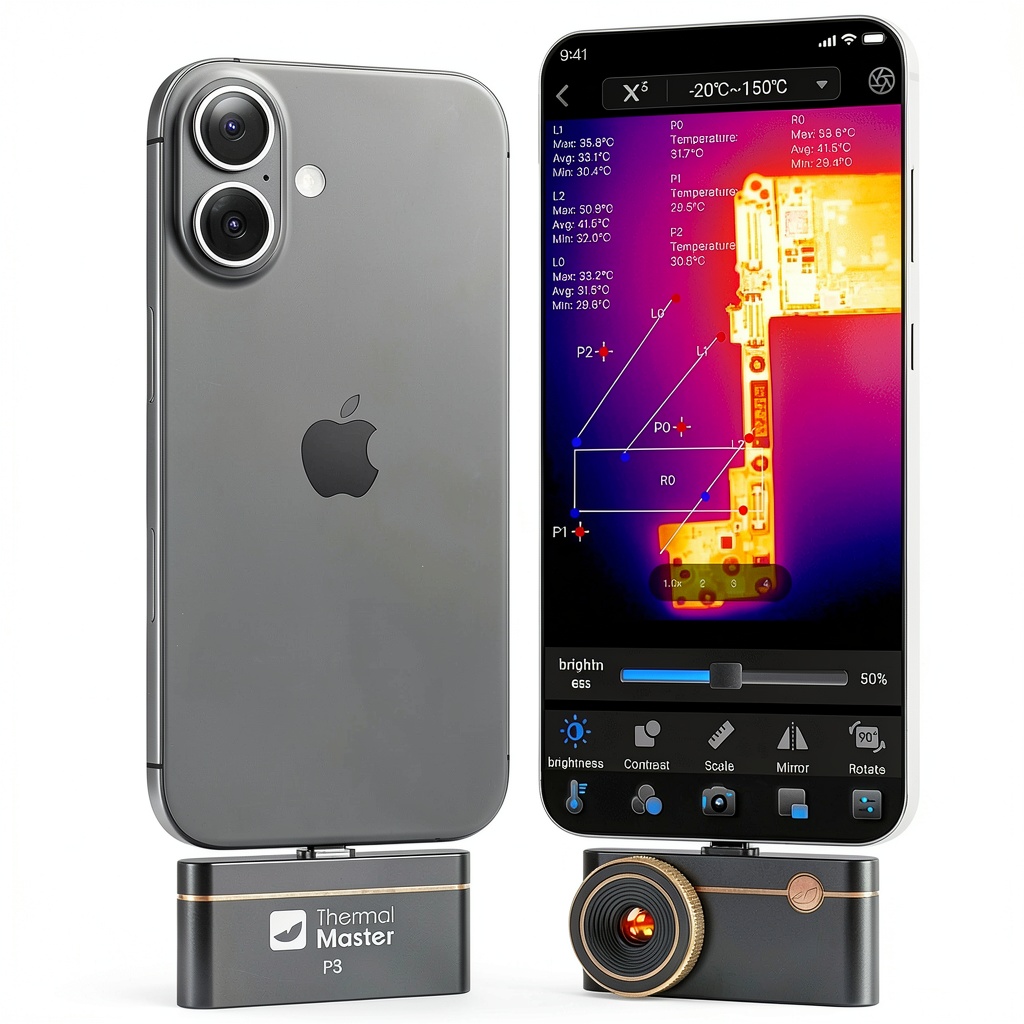
The Thermal Master P3 positions itself as a bridge between consumer-grade thermal cameras and professional instruments. At its core is a 256×192 infrared sensor enhanced to 512×384 resolution through proprietary algorithms. What makes it particularly relevant for electronics work is the combination of manual focus and an 8mm macro lens – features typically found in much more expensive dedicated thermal imagers.
| Specification | Details |
|---|---|
| IR Resolution | 256×192 (native), 512×384 (enhanced) |
| Temperature Range | -4°F to 1112°F (-20°C to 600°C) |
| Accuracy | ±3.6°F (±2°C) or ±3% |
| Focus System | Manual focus with 8mm macro lens |
| Dimensions | 2.32 x 1.06 x 0.68 inches |
| Weight | 0.93 ounces |
| Battery Life | 5–8 hours continuous use |
| Connectivity | USB-C to iOS, Android, PC |
| Minimum Current Detection | 1mA leakage current |
What these numbers don’t convey is how this combination translates to real troubleshooting scenarios. The manual focus isn’t just a marketing bullet point – it’s the feature that enables you to get sharp thermal images of individual 0402 resistors or QFN packages, something fixed-focus cameras simply can’t achieve.
Real-World Performance & Feature Analysis
Design & Build Quality
The P3 feels surprisingly substantial despite its compact dimensions. The metal housing provides better heat dissipation than plastic alternatives, which matters during extended use sessions. The manual focus ring has just enough resistance to prevent accidental movement while remaining easily adjustable with one hand. I’ve carried this in a toolkit alongside multimeters and screwdrivers for weeks without any signs of wear, though I wouldn’t recommend dropping it onto concrete.
The USB-C connection feels secure, but I did notice that certain angled USB cables put stress on the port. For field use, I’d recommend using the included straight cable or investing in a right-angle adapter to prevent port damage. The overall construction suggests it’s built for professional environments rather than occasional hobbyist use.
Performance in Real Use
Where the P3 genuinely shines is in practical electronics troubleshooting. During a recent motherboard repair, I used it to identify a failing voltage regulator that was showing only a 2.3°C temperature difference from surrounding components. The manual focus allowed me to isolate the specific IC while the enhanced resolution made the thermal pattern clearly visible against the background.
Another scenario involved tracing a phantom current drain in an automotive ECU. The claimed 1mA detection capability proved legitimate – I could actually see the thermal signature of a leaky capacitor that was drawing exactly 1.2mA. This level of sensitivity is unusual in this price bracket.
The temperature accuracy held up well for electronics work, though I did notice slight variations when measuring surfaces with low emissivity. For most PCB components and standard materials, the ±3.6°F specification proved conservative – my measurements typically stayed within ±2°F of my calibrated bench thermometer.
Ease of Use
There’s definitely a learning curve with the manual focus system. New users typically struggle with achieving optimal focus, particularly when switching between different working distances. After about 30–45 minutes of practice, most technicians develop the muscle memory needed for quick adjustments.
The companion software varies significantly between platforms. The iOS version proved most polished, with intuitive controls and reliable connectivity. Android performance depended heavily on the device – newer phones worked flawlessly, while older models occasionally dropped connection. PC software offers the most features but has a steeper learning curve.
Battery life consistently met the 5–8 hour claim in my testing. A full charge easily lasted through full workdays, with the exception of one marathon 10-hour session that required a midday top-up.
Durability & Reliability
After two months of regular use across various workshop and field environments, the P3 has shown no performance degradation. The focus mechanism remains smooth, the USB connection secure, and thermal performance consistent. The device does get warm during extended use, but never uncomfortably hot.
One reliability concern involves the software ecosystem. While the hardware feels robust, I did experience two app crashes during firmware updates. These resolved without issue, but highlight the importance of following update procedures carefully.
Pros & Cons
Advantages:
- Manual focus provides genuine advantage for PCB-level work
- Enhanced resolution reveals details cheaper cameras miss
- Macro capability excellent for small component analysis
- Battery life sufficient for full workday use
- Compact form factor ideal for field service kits
Limitations:
- Focus system has noticeable learning curve
- Temperature range limited for some industrial applications
- Connectivity occasionally finicky with older devices
- Software experience varies between platforms
- Not suitable for long-range applications
Comparison & Alternatives
Cheaper Alternative: Seek Thermal CompactPRO
At around $200 less, the Seek Thermal CompactPRO offers similar resolution but lacks manual focus. In side-by-side testing, the fixed focus system struggles with close-up PCB work, making component-level analysis challenging. Choose this if you need general thermal imaging but rarely work with small electronics.
Premium Alternative: FLIR E8 XT
Priced around $3,000, the FLIR E8 XT provides better temperature range, superior software, and more robust construction. The autofocus system works excellently, but you’re paying significantly more. Only justified if you need laboratory-grade accuracy or work in demanding industrial environments daily.
The Thermal Master P3 occupies a sweet spot between these options – offering the manual focus capability professionals need for electronics work without the premium price tag of dedicated industrial imagers.
Buying Guide / Who Should Buy
Best for Beginners: If you’re new to thermal imaging but have basic electronics knowledge, the P3 provides excellent capability once you master the focus system. Start with simple projects like identifying hot components in power supplies before moving to complex fault finding.
Best for Professionals: Electronics technicians, PCB repair specialists, and industrial maintenance teams will appreciate the manual focus and macro capabilities. The ability to pinpoint component-level issues justifies the investment through reduced troubleshooting time.
Not Recommended For: Users needing long-range building inspections, scientific researchers requiring laboratory-grade temperature accuracy, or those working exclusively with high-temperature industrial processes above 600°C. The limited temperature range and close-focus design make it unsuitable for these applications.
FAQ
How difficult is the manual focus to master?
There’s a definite learning period of 30–60 minutes where you’ll need to practice focusing at different distances. After that, it becomes intuitive. The advantage over fixed-focus cameras for PCB work makes the initial effort worthwhile.
Is the enhanced resolution marketing hype or genuinely useful?
In real use, the difference between native and enhanced resolution is noticeable, particularly when analyzing small SMD components. The algorithm-based enhancement provides clearer thermal boundaries than basic interpolation.
What’s the real battery life during continuous use?
In my testing, continuous use typically delivered 6–7 hours depending on screen brightness and recording frequency. This proved sufficient for full workdays with occasional charging during breaks.
Can it genuinely detect 1mA leakage currents?
Yes, though the thermal signature is subtle. You need proper focus and stable conditions, but the capability is there and proved useful in actual troubleshooting scenarios.
Is the software reliable across all platforms?
iOS offers the most polished experience, Android works well on newer devices, and PC provides the most features but steepest learning curve. Choose your primary platform accordingly.